
Corporate GIS or GIS with an operations layer: what each one models.
A GIS governs the geometry of the network, and does it well. Maintenance operations — work orders, SLA, warehouse, cost and skills — are not geometry, so they get handled elsewhere: in separate spreadsheets or with custom development on top of the GIS. This page compares those routes with a native operations layer, and explains how to work alongside the GIS you already have.
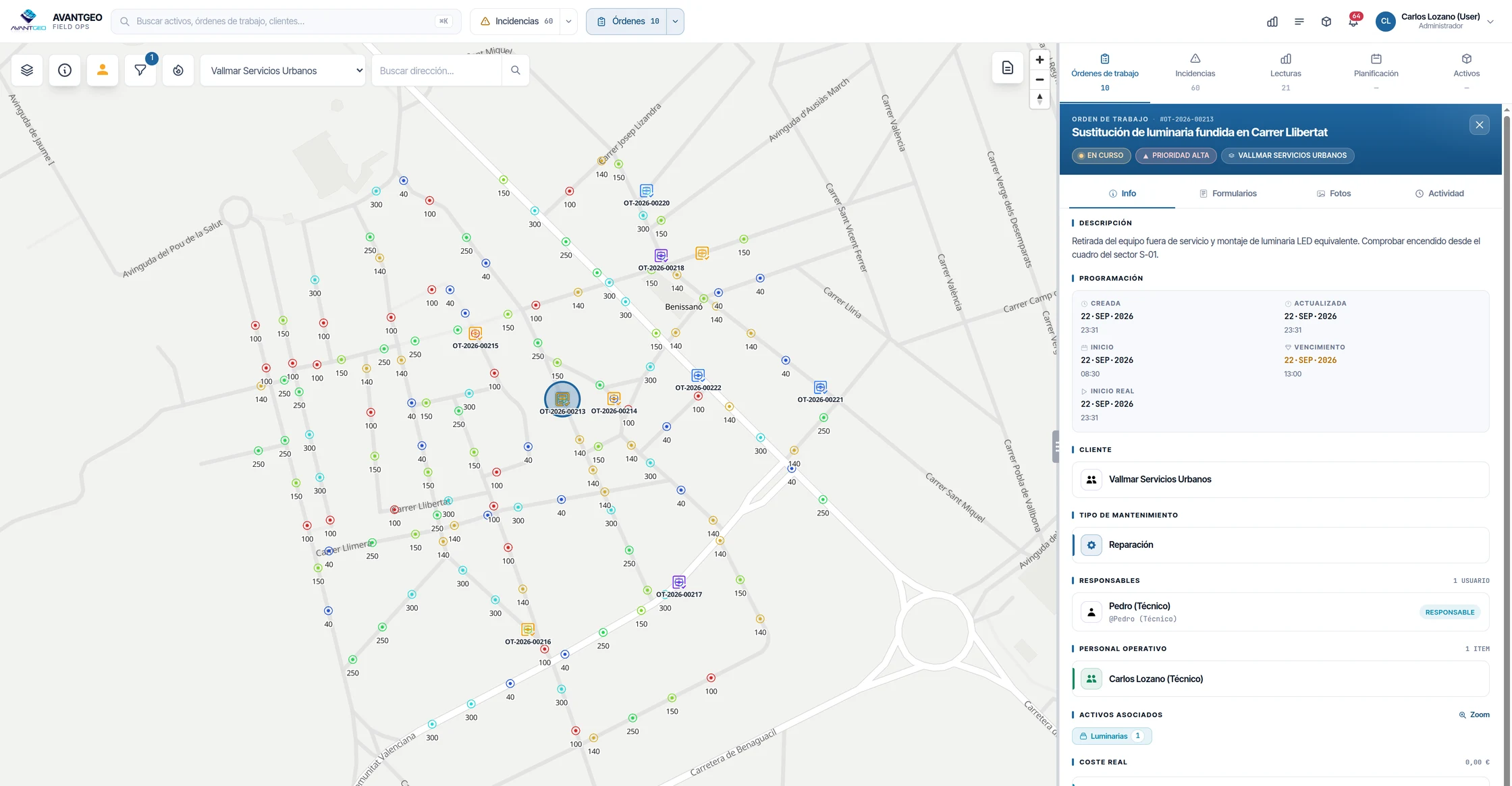
What a GIS covers and what the operations layer covers.
It is not a flaw in the GIS: almost none of what follows is geometry.
| Capability | Corporate GIS | GIS with a native operations layer |
|---|---|---|
| Geometry and cartography | Its home ground: cartographic editing, spatial analysis and governance of geographic data. | Geometry in PostGIS, import from the usual GIS formats and third-party WMS layers. Advanced cartographic editing is still better done in your GIS. |
| Work order lifecycle | Outside the GIS: a separate spreadsheet or custom development. | Eight states with their transition history, which is where response and resolution times come from later. |
| SLA | Deadlines tracked by hand; compliance is declared by whoever closes the job. | Agreements per customer with criticality levels and deadlines, and compliance calculated from the status history, not declared. |
| Warehouse | Does not exist: material used is not deducted from any stock. | Stock per branch and mobile warehouse in the vehicle, deducted when material is used on the work order. |
| Cost | Not calculated per job. | Materials at the real cost of the stock movement, hours at the person's cost and kilometres valued. |
| Skills | Outside its scope. | Skills with a minimum level and certifications with expiry dates, cross-checked against shifts, public holidays and absences. |
If your SLA compliance comes from what each technician writes down, it is not a calculation: it is a declaration. Here it comes from the work order's status history.
Building it on top of the GIS: the expensive part is maintaining it.
It is a reasonable decision and plenty of organisations make it. The cost is not in building the operations layer: it is in maintaining it. Every change to the GIS data model, every server upgrade, every person who leaves and takes the knowledge of the custom development with them.
Add to that the time it takes to get something into production, usually measured in quarters.
Your GIS remains the source of truth.
Your asset base can still be governed where it is governed today.
- Import the inventory From GeoPackage, Shapefile, GeoJSON, DXF or CSV.
- Keep it up to date Through a connection to an external REST API, if the source of truth stays in the GIS.
- See your layers on top Overlay of third-party WMS layers, with discovery via GetCapabilities.
When you do not need it.
- What you need is to govern the cartography If maintenance operations already live in another tool that works for you and you do not need to connect them to the map, your GIS is doing its job.
- You already have the operations layer built and a stable team maintaining it You are already paying the cost described above, and paying it well. Switching only makes sense if that maintenance starts to weigh on you.
Last updated:
See the half your GIS is missing.
Work orders, with their full lifecycle, or how Maptainer connects to the system you already have.