
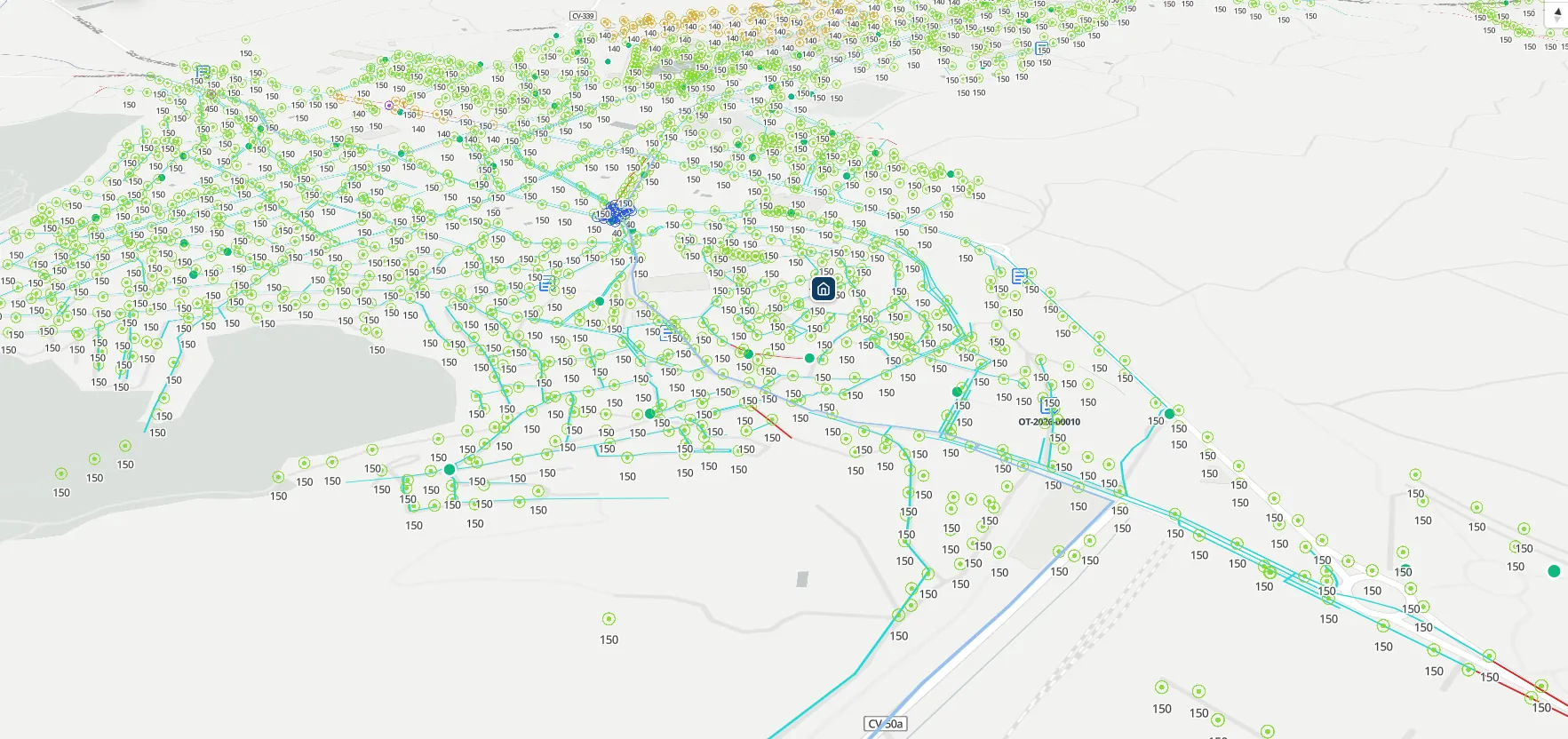
There is no signal in the basement. And the job sheet comes back on paper.
The technician opens the app at a remote plant, on a rooftop or down an inspection chamber, and the screen stays blank. They jot it down in a notebook, take photos on their own phone and someone types it up the next day, if they remember. With Maptainer they work a full day without coverage, and when the signal comes back everything enters the system in one go.
Almost every CMMS claims to have an offline mode. In practice it usually means the app keeps whatever was last opened with signal and lets you look at it. That does not last a working day: as soon as the technician needs an asset they did not visit yesterday, or the orthophoto of a plot, paper comes back.
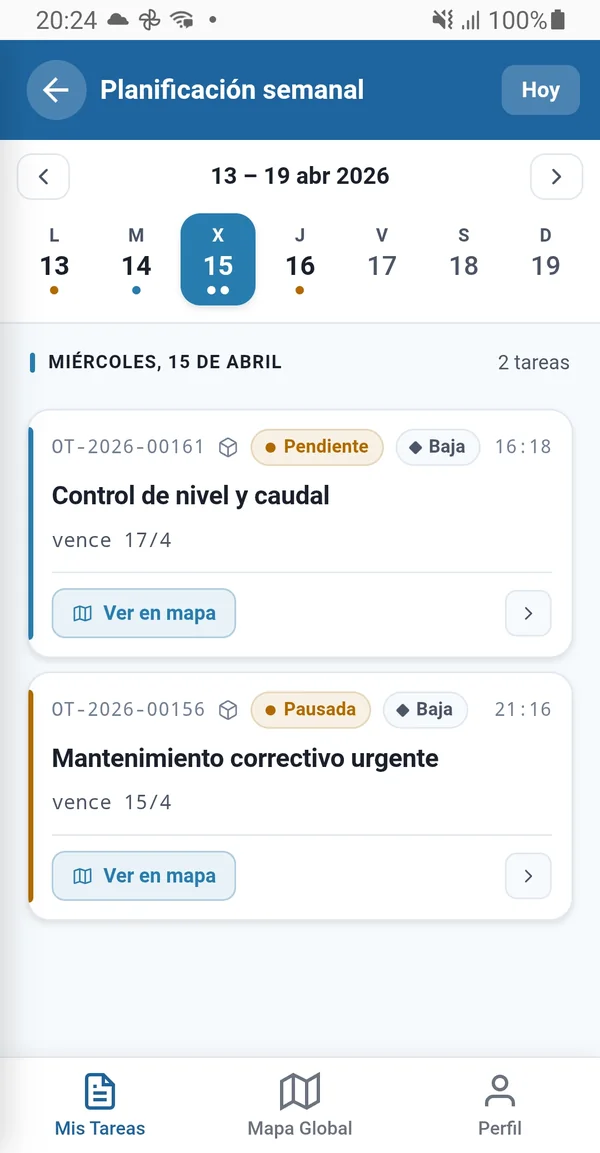
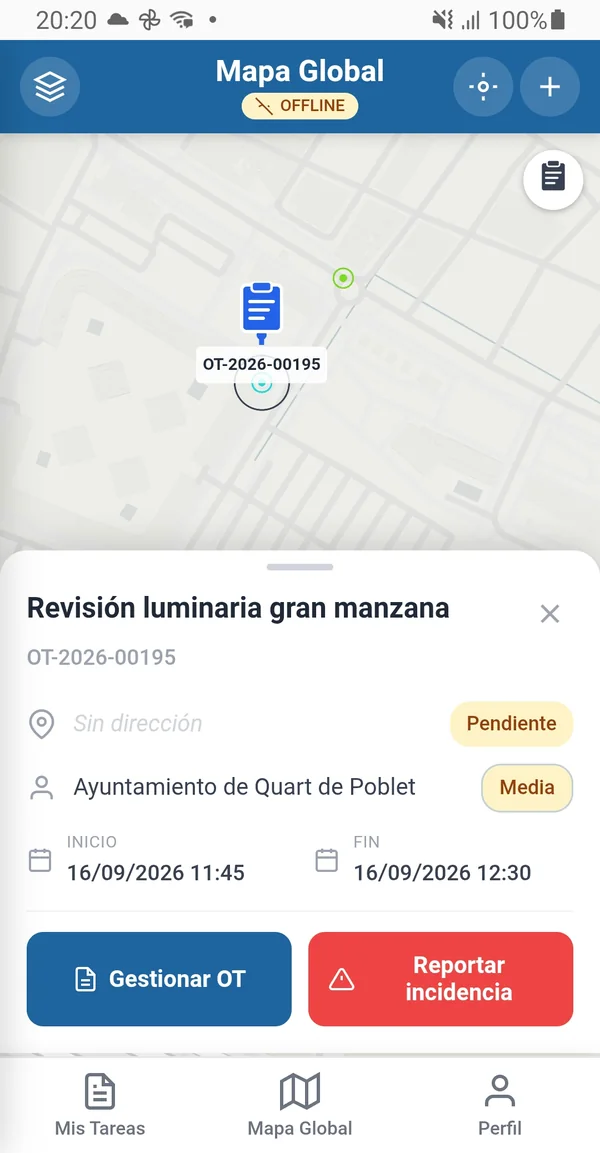
Everything the technician does on paper today, they do in airplane mode.
It is not a read-only version. It is the full execution cycle, without a single bar of signal.
- Look up assets Full record with properties, photographs and documentation, on the map or by search.
- Record job sheets Move the work order forward, log time and note what was done. Nobody has to type them up afterwards.
- Fill in forms All twelve field types, including repeatable sections and dependency rules between fields.
- Take photographs Before and after evidence, geo-referenced and timestamped, inside the work order and not in the phone's gallery.
- Sign Handwritten sign-off on the device, with GPS, date and device details.
- Take readings With a geo-referenced photograph when the asset type requires it.
- Create assets A new asset found in the field is created on the spot, with its geometry.
- Propose geometry changes If the recorded position is not the real one, the technician proposes the correction.
It does not depend on what the technician looked at yesterday.
A cache stores what has already been opened. Maptainer generates four packages in advance and the technician carries them along.
- Working SQLite database Assigned work orders, assets in their scope, tasks, maintenance types, forms, materials and catalogues. A complete database, not a partial dump.
- Reading batch SQLite When there is a reading campaign, its batch travels in its own database, with the measuring points, their thresholds and their recent history.
- Asset PMTiles The inventory's vector tiles, so the map renders the same way offline.
- Orthophoto MBTiles The PNOA orthophoto downloaded from the IGN (Spain's National Geographic Institute), clipped to the working area. Seeing the real ground matters when the asset has no street.
Packages are regenerated automatically every night. The technician finds the day's package ready when they connect in the morning, without asking anyone for it.
No working day is left half uploaded.
When the signal returns, the app sends everything that was done to a single synchronisation endpoint, photographs and signatures included. Not twelve calls that can fail halfway and leave you guessing what arrived and what did not.
To avoid downloading the full package again every time, the app also requests the assets modified since a given date: it catches up on what has changed and leaves the rest as it is.
Offline work
Everything is recorded in the device's local SQLite database.
Signal returns
The app detects the connection and sends the complete batch.
Consolidation
The server applies the changes, stores the photographs and signatures, and returns the result.
Catch-up
The app requests the assets modified since its last synchronisation.
Your technicians correct the inventory without damaging it.
A technician editing the inventory directly from the phone is a risk to data quality. That is why whatever comes in from the field — new assets, property corrections, geometry changes — arrives as a change request, with its own approval flow.
Whoever governs the inventory decides what is accepted. The technician does not lose the finding and the asset base does not degrade.
Frequently asked questions
What if the technician has no coverage for several days?
Is it the same app for looking things up and for working?
Where does the orthophoto come from?
Does the phone alert the technician when a new work order comes in?
Last updated:
What the technician carries is only as good as the inventory it comes from.
Next: how that inventory gets onto the map from the spreadsheet, the Shapefile or whichever system it lives in today.