
You take an MTTR figure to the board and the first question is where it comes from. You have no good answer.
The technician types in the arrival time when closing the job sheet, sometimes the next day. A work order left "in progress" on Friday counts on Monday as a three-day repair. Every manager calculates the backlog their own way. The KPI ends up measuring the team's admin discipline, not maintenance performance, and everyone in the room knows it. Here the KPIs are calculated from the real execution history, and you can explain every figure.
Figures that do not depend on who calculated them.
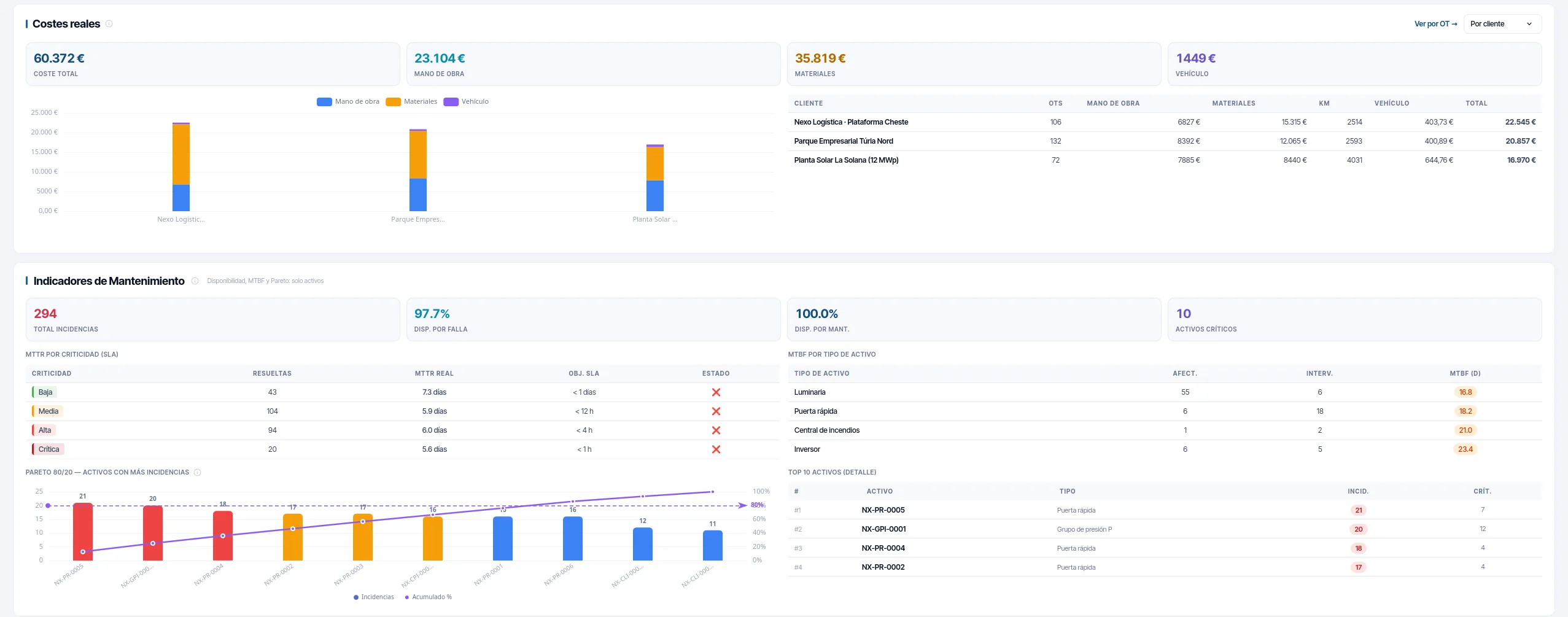
- You defend the SLA with data, not with a story. MTTR is broken down by criticality and set against the SLA target for each level. You see where you meet it and where you do not before your customer tells you.
- You know whether the preventive plan is working. The ratio of preventive maintenance carried out to corrective maintenance tells you whether you are ahead of the breakdowns or behind them.
- You size the team in weeks, not in work orders. Two hundred pending work orders say nothing. Six weeks of backlog does, and it makes the case for itself when you ask for more people.
- No work order is left forgotten on pause. Every morning the system flags for review the paused work orders that have gone longer than the number of days you set without being resumed (three, unless you say otherwise). It does not change their status: the supervisor decides, but they no longer get lost in the list.
- You see how much of the working day is real work. Wrench time separates time spent on the job from time spent travelling, waiting or looking for the asset.
Six KPIs, and where each one comes from.
| KPI | How it is calculated |
|---|---|
| MTBF by asset type | Mean time between failures, aggregated by type, over the history of corrective work orders. |
| MTTR by criticality | Mean time to repair broken down by criticality and set against the SLA target for that criticality. |
| Availability | Split into breakdown and maintenance. Lumping them together hides exactly what you need to decide. |
| Planned versus unplanned | The ratio of preventive maintenance carried out to corrective maintenance, which is the indicator of whether the plan is working. |
| Backlog | Expressed in weeks of work, not in number of work orders. |
| Wrench time | Hands-on tool time, rebuilt from the intervals in each work order's status history. |
The KPI almost nobody publishes, and why.
Wrench time is the share of the working day in which the technician is actually working on the job. It is the KPI that says most about the real productivity of a field operation, and it requires a fine-grained record of intervals: when the travel started, when they arrived, when they started work, when they paused. If those milestones depend on someone pressing buttons, the data does not exist or it is fiction.
Here they come from the geofence automations: the work order switches to "in progress" when arrival is detected, the travel leg is generated on its own and the working day pauses itself at the end of the shift. The times that feed the KPI do not depend on anyone's memory.
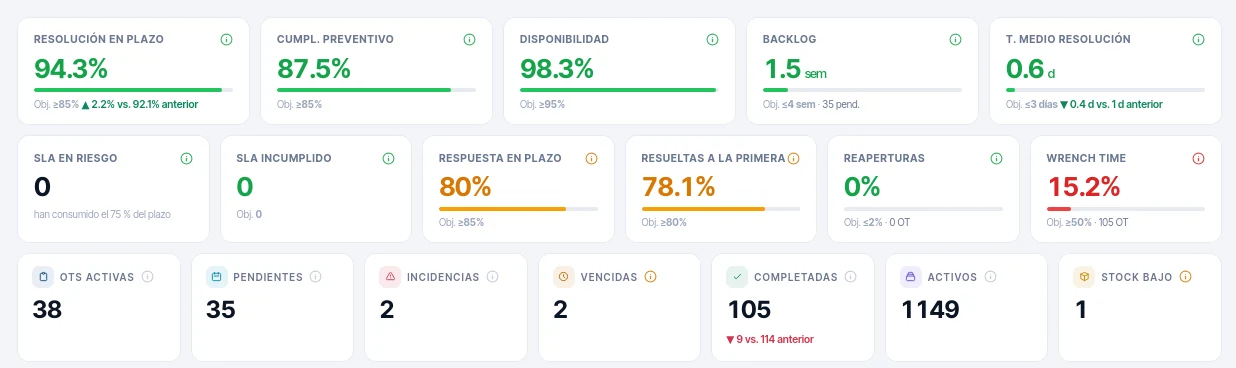
That is why these KPIs are only reliable if the Real-time field module is active. We are telling you here so you do not find out later.
What you need for the board and for the customer.
- Team performance Workload, execution and times per person and per team.
- Request analysis Where incidents come in from, how they are classified and how long they take to become a work order.
- Operational reports With export, for the board and for the customer.
- Filters and views By period, branch, sector, customer, asset type and criticality.
Frequently asked questions
Does the system predict failures?
Can the data be taken into a BI tool?
Last updated:
The next step: your customer sees all this without asking you.
If you maintain third-party assets, the customer portal shows them their work orders, their incidents and their SLA without you preparing a report.