
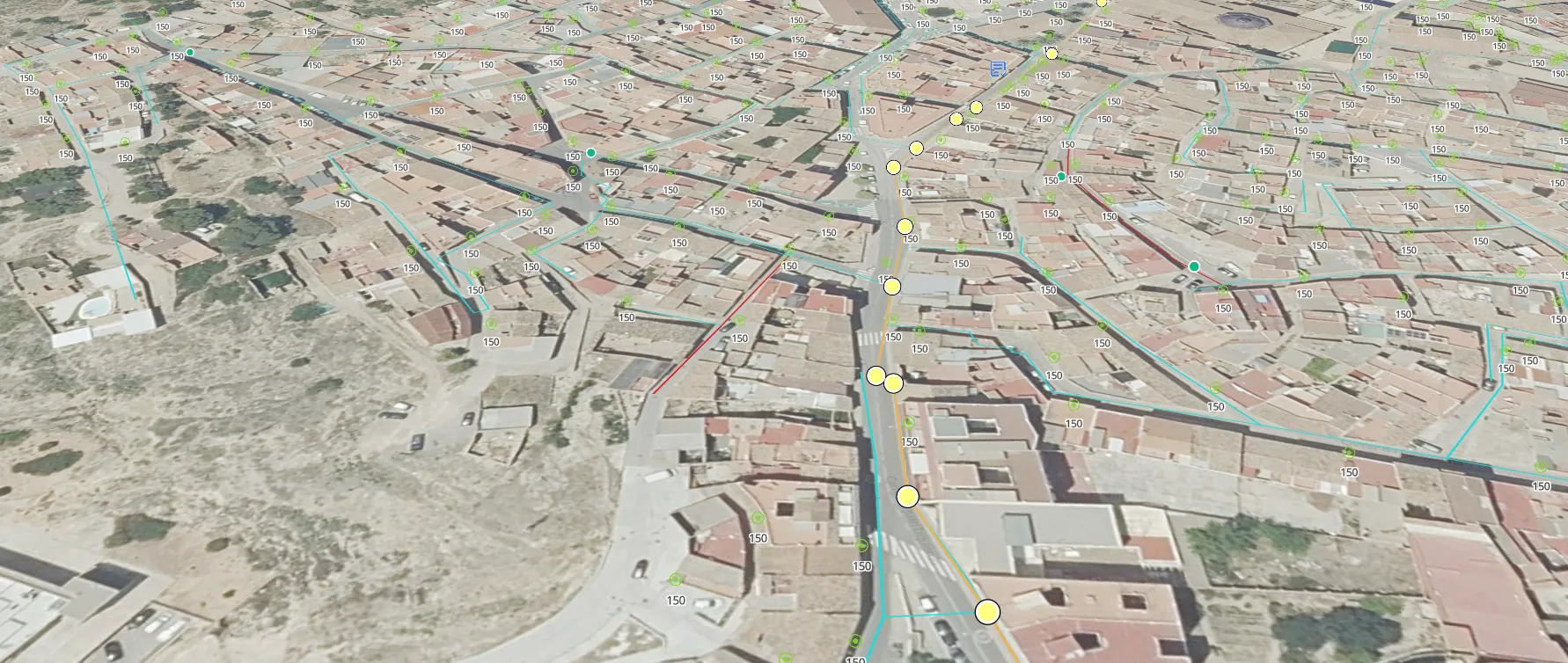
Your inventory lives in a spreadsheet, a Shapefile and the heads of two people.
A spreadsheet full of coordinates nobody has checked. A GIS only the person who set it up can open. And a question as simple as which assets sit inside this area turns into an afternoon of cross-referencing files. In Maptainer the inventory stops being a list and becomes the map: the screen you work on, not a tab you glance at now and then.
You never retype the inventory you already have.
Rollout is the biggest hidden cost of a CMMS and the main reason projects fail. So it starts with what already exists.
You can import GeoPackage, zipped Shapefile, GeoJSON, DXF and CSV. The load runs in the background with a progress bar, because a file with a hundred thousand elements is not processed in a single web request.
If the inventory lives in another system and will stay there, you do not have to choose: connections to external REST APIs import it and keep it up to date.
You stop jumping between the GIS and the CMMS to answer one question.
The map is not a tab: it is the screen. Work orders, incidents and planning open alongside it, without losing sight of it.
- Side operations panel Five tabs — work orders, incidents, planning, kanban and reports — next to the map.
- Layer panel Hierarchy of families and types, with visibility, order and opacity per layer.
- Advanced filters By type, property, status, customer, sector and geographic scope.
- Search Across assets, work orders and incidents at once.
- Info tool One click on the map returns everything under that point, layer by layer.
- Street View Street-level view from the asset record, so the technician recognises it before heading out.
- Geometry editing Points, lines and polygons are drawn and corrected on the map itself.
Questions a list cannot answer.
What is inside this plot. What is within two hundred metres of the fault. In a spreadsheet, that is half a morning. Here, you draw on the map.
- By polygon Everything inside an area drawn on the map.
- By point and radius What is within two hundred metres of here.
- By layer The complete set of a type or family.
- By reference Direct lookup from the asset code.
The system knows when an assembly is missing a part.
An asset type defines its expected geometry, its identifying fields, its symbology and its layer version. Families group them so you can govern the cartography without touching assets one by one.
On top of that sits the composition hierarchy: an electrical cabinet contains breakers, a pumping station contains pumps. Each relationship carries its maximum quantity and whether it is mandatory, so an incomplete inventory is caught in the system, not in the field.
- Custom properties With validation by data type, allowed values and mandatory flags. Bad data does not get in.
- The technician sees the error and has a way to fix it The person best placed to spot bad data is the one standing in front of the asset. From the app they propose a geometry or data correction, and the inventory does not change until a manager approves it.
- Parent-child cascade A property of the assembly can propagate to its components.
- References between types A property can point to another asset, not just hold a value.
- Pre-configured verticals When the organisation is set up, complete families, types, properties, symbology, maintenance types, tasks and forms are cloned in. You do not start from scratch, and everything becomes yours to edit.
A map you can read at a glance, not one colour per layer.
Cartographic styles translate to the full MapLibre specification: fill, stroke, pattern, symbol, label and filter by zoom level. With thematic styling by property value — network sections coloured by material, for example — and the legend derived automatically from the classification.
And it does not slow down as the inventory grows: the browser does not draw markers one by one.
- MVT vector tiles Generated from PostGIS, cached on disk and served by a dedicated Nginx, with per-layer versioning.
- Self-hosted base map OpenStreetMap generated with Planetiler for whatever region is needed, with no third-party API key.
- External WMS layers From third parties, with automatic discovery via GetCapabilities.
- Photographs and documentation Per asset and per asset type, protected by expiring signed URLs.
Frequently asked questions
How many elements can the map handle?
Can I keep using my corporate GIS?
Which coordinate reference system does it use?
Can the inventory be exported?
Last updated:
An inventory on the map is of little use if the work done never makes it back.
Next: what happens when that asset needs a work order, and how it comes back with its cost closed.