
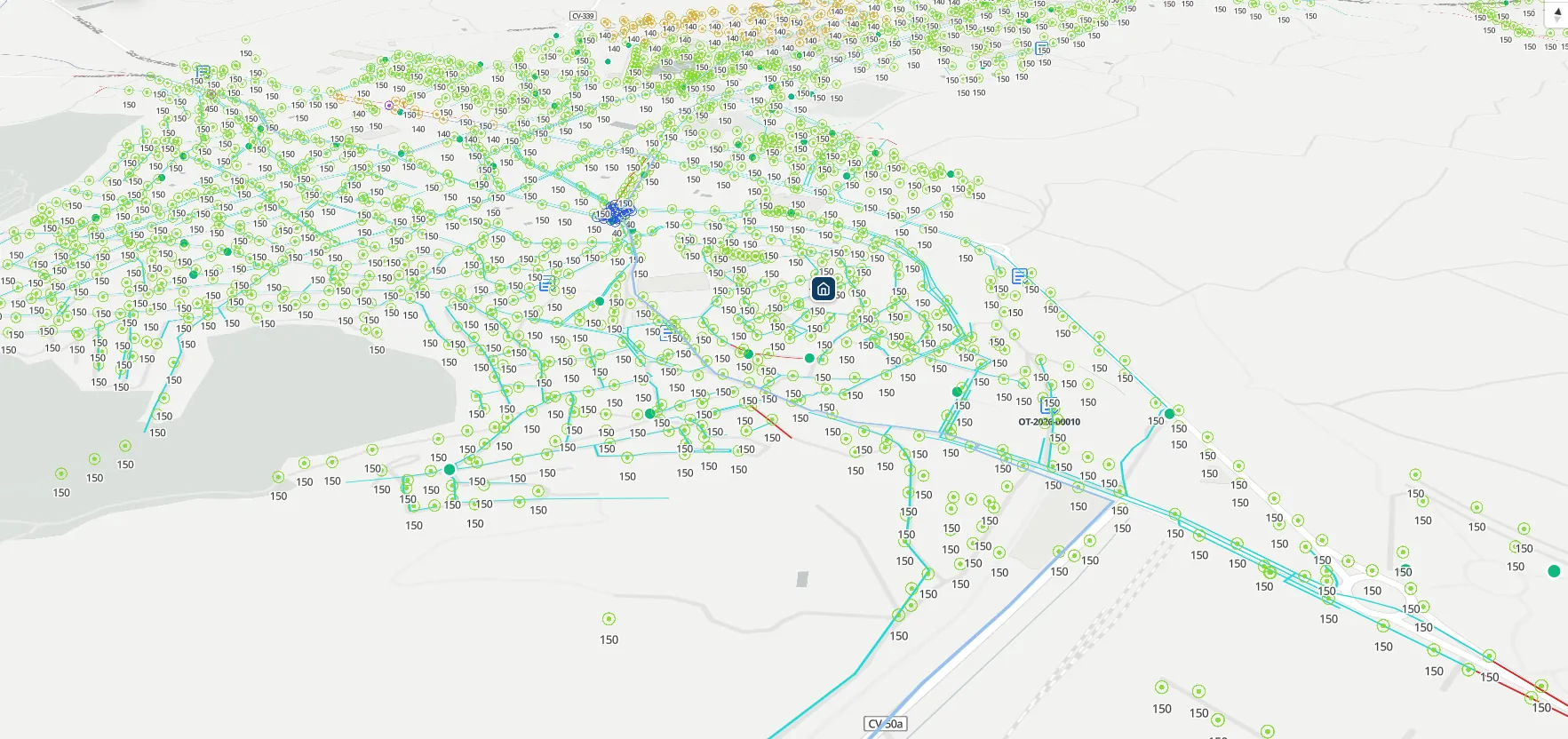
You deliver the inventory as a PDF and a spreadsheet. Six months later nobody opens it.
The survey takes weeks of fieldwork and office work. It is handed over in a folder, the customer files it away and, the day they need to look up an asset, they call you again or commission another survey. Along the way, every round of revisions over empty fields or misplaced geometries eats into the project margin. With Maptainer the deliverable is a browsable inventory on the map, which your customer can consult and you can keep maintaining.
It is for you if
- You carry out surveys and inventories for third parties Networks, installations, street lighting or infrastructure: fieldwork that ends in a deliverable for an industrial customer or a private operator.
- Your customer has nothing to consult what you deliver with They receive files, not a tool, so the inventory starts to age on the day it is handed over.
- You want the project not to end at sign-off Keeping the inventory alive, or running the full maintenance, as a recurring service with the same customer.
It is not for you if
- Your deliverable is a BIM model Maptainer works with GIS geometry: GeoPackage, Shapefile, GeoJSON, DXF and CSV. It does not import or manage BIM models.
- You are looking for a design or calculation tool Maptainer manages the inventory and its maintenance. It does not replace your CAD or your calculation software.
Fewer rounds of revisions, because bad data does not get in.
Each asset type defines its record: mandatory fields, data type, allowed values and fields that depend on an earlier choice, such as the model depending on the manufacturer. The technician creates the asset from the field with its type, properties and geometry, and anything that does not meet the record is not saved.
Customer reviews stop revolving around empty cells and points in the wrong place, and turn to what actually matters in the project.
- Geo-referenced photographs Dated and attached to the asset, so any piece of data can be checked against what was there in the field.
- Inspection forms Twelve field types, repeatable sections and dependency rules, assigned by asset type.
- Reviewed corrections Whoever spots an error in the field proposes a geometry or data correction, and the inventory does not change until a manager approves it.
- Offline inspection Forms, photographs and incidents are completed without coverage and enter the system once back online.
Your customer gets a map they can use, not a folder.
The survey is loaded from GeoPackage, Shapefile, GeoJSON, DXF or CSV and sits on real geometry in PostGIS. With the customer portal, your customer logs in with their own user and sees their scope on the map: their assets with records and photographs, their incidents and polygon selection over what is theirs.
The portal carries your customer's logo and runs in the browser, mobile included. What they see is the work you delivered, and it gives you a different way to present the deliverable in a technical proposal.
The project does not have to end at the handover sign-off.
The system the inventory is delivered in is a complete CMMS: incidents your customer raises on the map, work orders, skills-based planning and true cost per work order. If the customer wants you to keep the inventory up to date, or to maintain the assets, the service carries on over the same data, with nothing to migrate.
Each customer is a separate scope, with its own geometry, its SLA if you switch it on and its own signature policy. What you configure for one type of project — families, asset types, properties, symbology and forms — works for the next customer, and the pre-configured verticals mean you do not start the first one from scratch.
Data goes in and out in formats you already use.
- GIS import GeoPackage, Shapefile, GeoJSON, DXF and CSV, without redrawing the cartography.
- Third-party WMS layers With automatic discovery via GetCapabilities, alongside the inventory.
- Full export Assets, work orders, incidents and photographs, with geometries in GeoJSON and a manifest describing each file.
- Public API Incremental sync of assets, types, measuring points and readings, documented in Swagger and ReDoc with no key required.
Frequently asked questions
Can I work with several customers at once?
Does my customer have to install anything?
Can a survey that is already done be loaded?
Last updated:
See what your next deliverable could look like.
Tell us what you survey, for which kind of customer and in what format you deliver today. With that we prepare the session on a demo environment close to your case, and in 30 minutes you know whether it fits.