
An urgent job comes in and you do not know who is closest. Or whether this morning's technician ever reached the work order.
The technician on duty is somewhere between two industrial estates, on a rural track or next to a substation with no postal address. The work order assigned to them has been "in progress" since yesterday, because nobody closed it at the end of the day. With Real-time field, the position comes from the technician's own phone, arrival and departure at each work order are recorded with evidence, and the working day closes itself when the shift ends.
Real-time field is the module that turns the technician's phone into the source of position, presence and times. Nothing needs to be installed in the vehicles, and it works the same with or without a fleet. Everything rests on workplace geolocation processing designed to comply with article 90 of the LOPDGDD (Spain's data protection act) from the very first point stored.
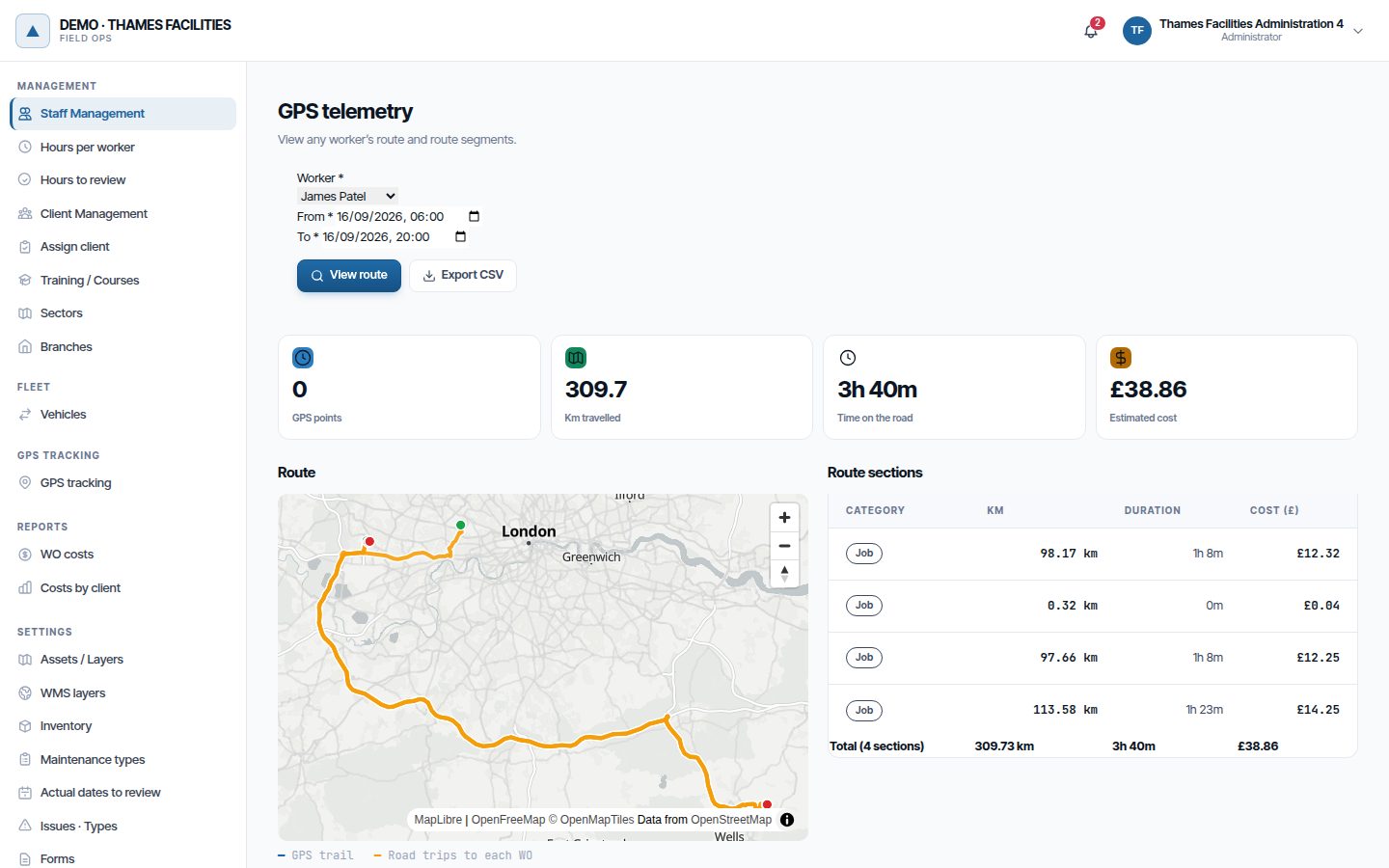
What stops happening to you.
- You stop phoning people one by one to find out who is nearby. The map shows each technician's last position from the past two hours, with the work order they have in progress. For an urgent job, the system suggests the closest ones by road.
- You stop arguing about whether the technician was ever there. Arrival and departure at each work order are recorded with their position, their accuracy and the time the perimeter was actually crossed.
- You stop finding work orders that have been "in progress" for three days. When the shift ends, work orders with nobody left working on them are paused and raise an alert so that someone confirms they resume.
- You stop filling in times after the event. Start, pauses and finish are timestamped as they happen, and the wrench time and MTTR you report to management come from them.
Position comes from the technician's phone, in sessions and within working hours.
Tracking is organised in sessions with a start and an end: it begins when the technician opens their working day and ends when they close it, when their shift finishes or when they withdraw consent. Each session records which version of the geolocation notice it was captured under and from which device.
The app collects positions and sends them in batches, also with the screen off and after a while without coverage. The server discards impossible points and resends, checks consent and rejects whatever falls outside that person's working hours, including shifts, on-call periods and overtime.
- "GPS positions" layer Each technician's last position, how long ago it arrived, battery, speed, the vehicle they are using and the work order they have in progress, linked on the map.
- A person's track For a date range, with their route legs to each work order when the fleet module is also active.
- Technicians see their own data From the app they view their track, their sessions and their consent history, and export their location data themselves.
Driving past the chamber does not count as arriving.
Every position is compared with the open work orders assigned to that person: their assets and, if it has one, the work order's own location. Distance is measured to the geometry, so inside a polygon it is zero.
They reach the work site
One stationary position inside the 200 m radius, or two in a row over five minutes, records the arrival. Positions with more than 50 m of error do not count.
The app asks
If the work order is pending, the app asks the technician whether to start it; if it was paused, whether to resume it. If they accept, the change is recorded as "Started on arrival", with the phone's position.
They leave the site
Departure is confirmed at 300 m and after ten minutes outside, so that someone working at the edge does not generate endless arrivals and departures. If they leave with the work order in progress, the app asks whether they have finished it.
The supervisor finds out
If the technician leaves with the work order in progress and nobody else is still on site, the supervisor gets the "Technician out of zone with work order in progress" alert. It closes itself when they return or the work order changes status.
Geofencing never changes a work order's status. It detects, asks and records; starting, pausing or closing is always the technician's decision, because closing requires dates, forms, photos and a signature that only they can provide. More on the concept in the glossary.
When the shift ends, the work order does not stay in progress until Monday.
Every 15 minutes the system checks, in each tracked technician's time zone, whether their working day has ended. It never acts within working hours. Once it has ended, it closes the tracking session and pauses the work orders in progress that nobody is still working on: if two technicians share a work order and one finishes at 15:00 and the other at 19:00, the work order stays in progress until the second one finishes.
Each work order paused this way raises the "Work order paused at end of day" alert, so that someone confirms the next day that it resumes. The pause does not stop the SLA clock.
- Stalled work orders Those paused for longer than the configured number of days (three by default) are flagged for review, without their status being touched.
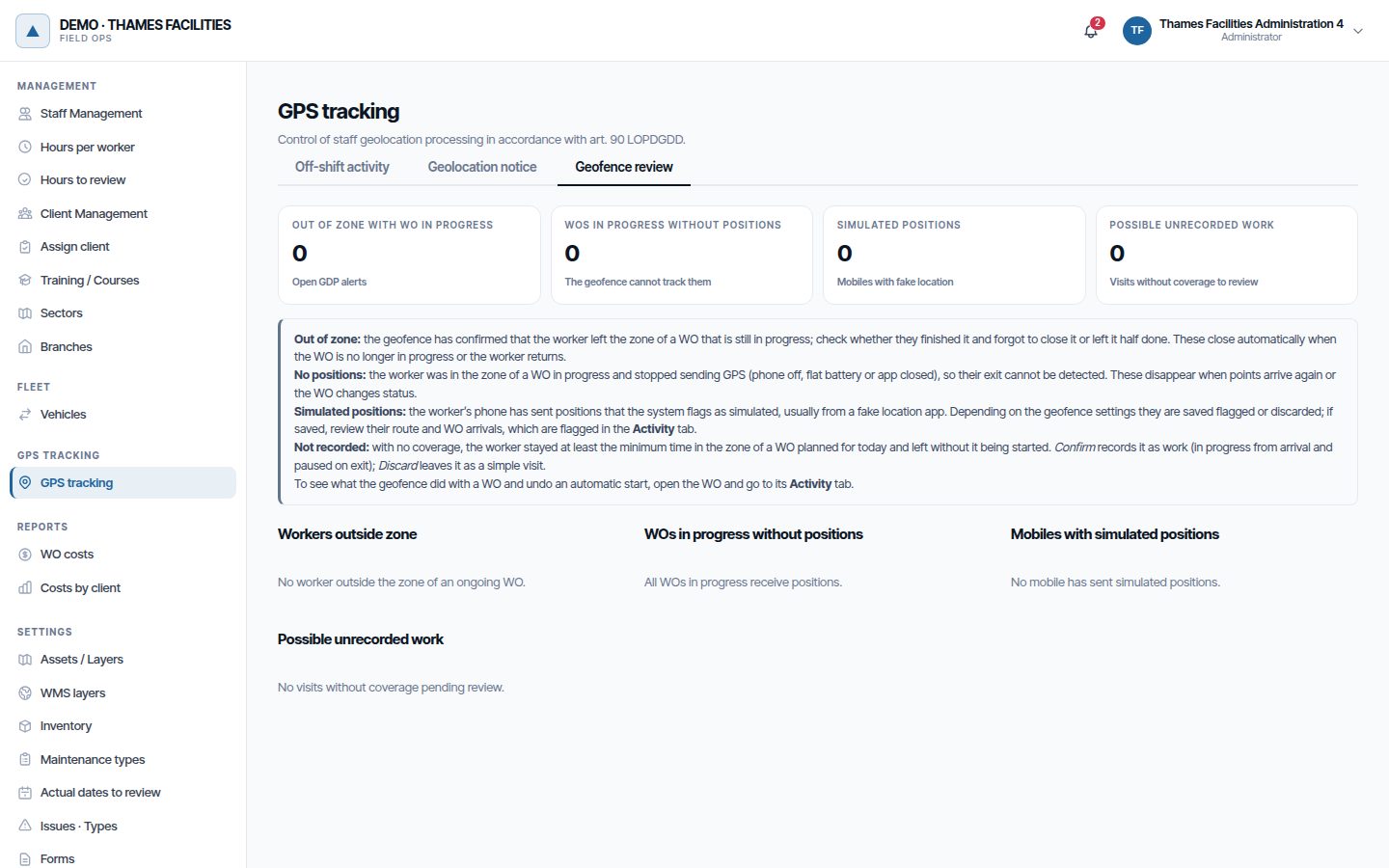
- Work orders in progress without positions If the technician was on site and has sent no positions for 45 minutes, because the battery died or the app was closed, the work order is flagged for review.
- Visits without coverage When the technician spent long enough in the zone of a work order planned for that day and left without starting it, it is listed as possible unrecorded work, to be confirmed or discarded.
The closest technician is the one who gets there first by road, not the one 2 km away on the other side of the river.
Given a point on the map, dispatch returns the closest technicians among those with active tracking and a position from the past two hours, ranked by actual road travel time. Those who already have a work order in progress still appear, marked as busy.
It only suggests people who can go: active staff, with no confirmed absence and with the skills the job requires at their minimum level. A recent position is not enough, because the phone of someone on holiday may keep sending points. For a pending work order, each candidate also shows what it costs to fit it into their day: their route for the day without the work order and with it.
Nearest-technician dispatch and fitting a work order into the day belong to Real-time field. Multi-day planning belongs to the Smart planner.
Workplace geolocation with a legal basis, not open-ended collection.
The module requires the worker's consent and is designed around article 90 of the LOPDGDD and the GDPR.
- The organisation publishes the notice As data controller, it publishes its own text in versions that are never deleted. With no version published, nothing is captured.
- Recorded consent The technician accepts the notice from the app, with version, date and device, and can withdraw it: capture stops immediately.
- Nothing outside working hours Positions outside the working day are rejected. Only how many there were and between what times is noted, without coordinates, so that undeclared on-call work or overtime can be regularised.
- 60-day retention Positions are deleted automatically after 60 days. For legs and events, dates, kilometres and cost are kept, without the route geometry.
- Every access is logged Who viewed whose location, over which range and how many points. Erasing a person's data anonymises whatever has accounting value.
- Simulated positions Those coming from a fake-location app are flagged or discarded, and the supervisor gets an alert saying how many and when, never where.
It follows the person. Vehicle GPS is a different thing.
Real-time field uses the technician's phone: their position goes with them even when they get out of the van and walk along a pipeline or an internal road. Vehicle GPS, collected by Fleet and costs, follows the vehicle even when nobody has the app open. They are independent modules and are subscribed to separately.
Together they complement each other. Every confirmed arrival generates the route leg to the work order with its road distance and cost, and on the map each person appears only once: if they are in their vehicle, the vehicle is shown. Operating zones use positions from both, and either one is enough.
This is where wrench time comes from.
Wrench time and the times that feed MTTR need milestones timestamped as they happen: when the technician arrived, started, paused and left. With this module they come from geofencing and the end-of-day closure. Without it they depend on someone pressing a button, and the figure is only as good as that person's memory.
How they are calculated and what they mean, in Analytics and reports.
Frequently asked questions
Does geofencing start or close work orders on its own?
Does it work where there is no coverage?
What happens if a technician does not give consent?
Do I need the fleet module?
How is it charged?
Last updated:
You know where the team is. Now, where they should not be.
With the same positions, operating zones mark where nobody may enter, the speed limit and the seasons when no work is allowed.